

Extended Trial Activation Code

Last updated: Jul 01, 2026
8265
views

Follow the procedure below to install the Dimension Extended Trial license.
1. Click on Dimension Application icon to open it.
2. If you receive the window below, click on the "Install Purchased License" button / OK
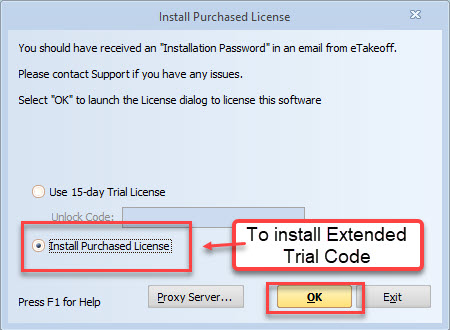
3. If you do NOT receive the window above, Click on "File/Administration/Install Software License ...
4. If the License Installation window has a Trial license installed, click on the Uninstall button.
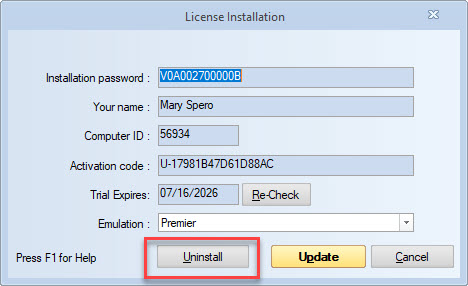
5. Click on "File/Administration/Install Software License ...
6. Copy and Paste the Activation code ("T-XXXX") in the "Activation Code" box.
NOTE: Make sure there are no spaces before or after the code.
7. Click the "Activate" button and your Trial license will be installed.


